


 TR
TR
 RU
RU
 DE
DE
 PL
PL



Brand | Operating system
Important Notes
- Settings should be configured in your home country with your local GSM operator; changes cannot be made while abroad
- Both your device and your local GSM operator must support Wi-Fi Calling for it to work
- This is not a service guaranteed by Globalalo
- Images are based on iOS 18.0 version
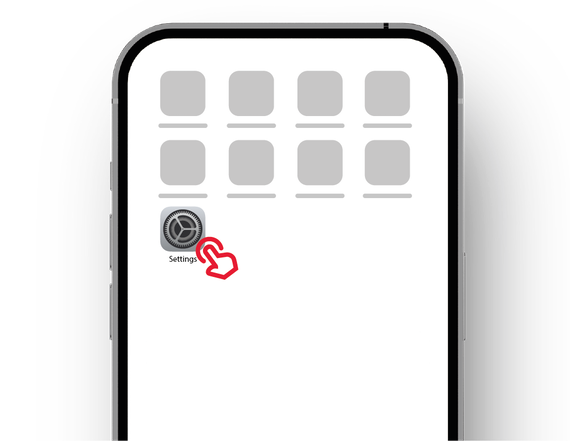
1. Settings
Go to the Settings menu with the icon shown in the image
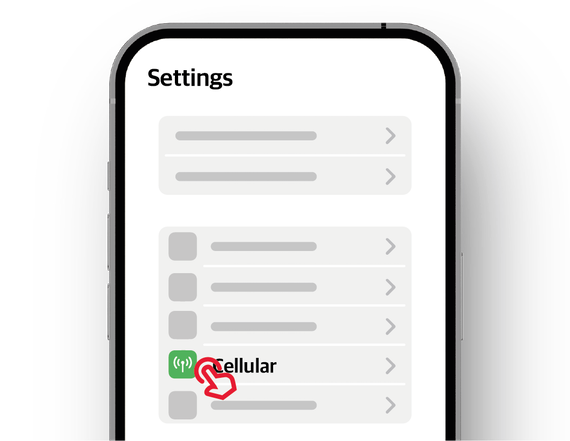
2. Cellular
Go to the Cellular menu
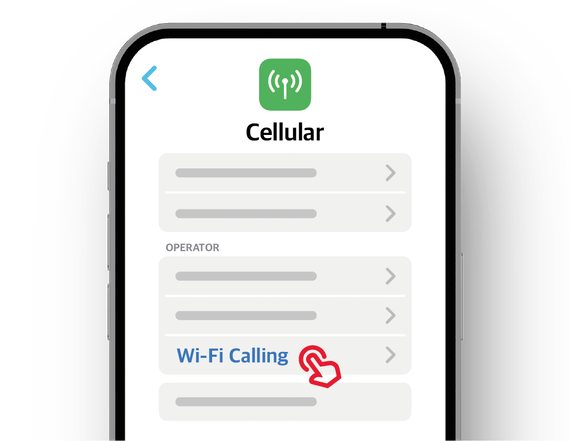
3. Wi-Fi Calling
Go to the “Wi-Fi Calling” menu under your local GSM operator’s name (Turkcell/Vodafone/Türk Telekom)
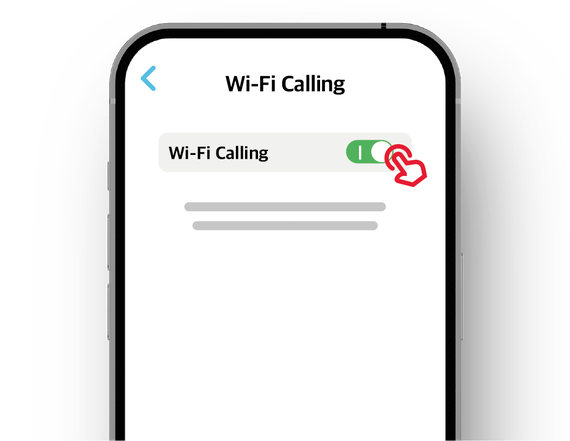
4. Turn on Wi-Fi Calling
If the toggle switch is off (to the left), slide it to the right to turn it on.
The toggle will turn green when enabled
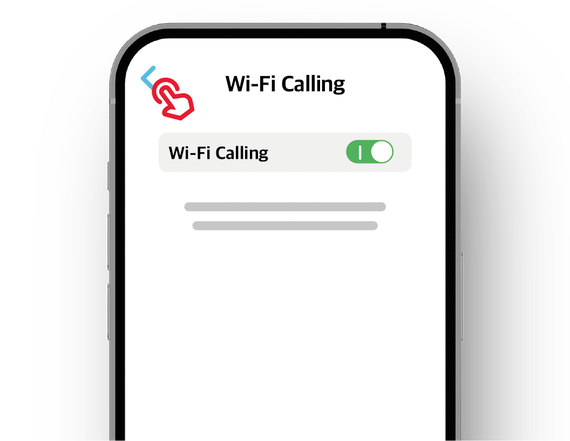
5. Go Back
Tap the back arrow in the top-left corner to return to the previous menu
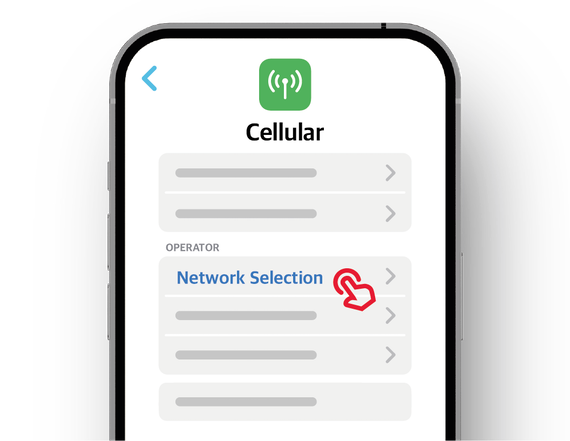
6. Network Selection
Go to the “Network Selection” menu under your local GSM operator’s name
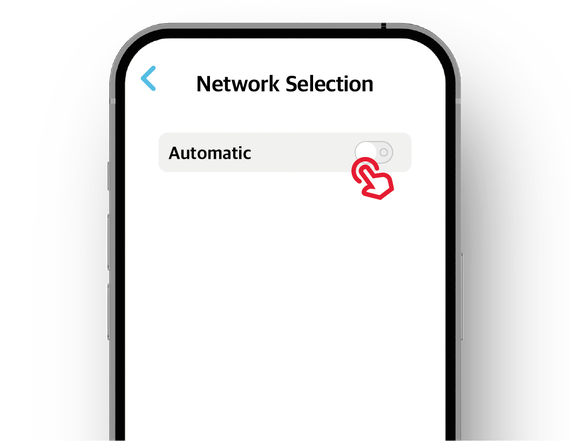
7. Disable Automatic Selection
If the toggle switch is on (to the right), slide it to the left to turn it off
After disabling, it may take some time for operator names to appear below
Do not leave the screen while waiting.
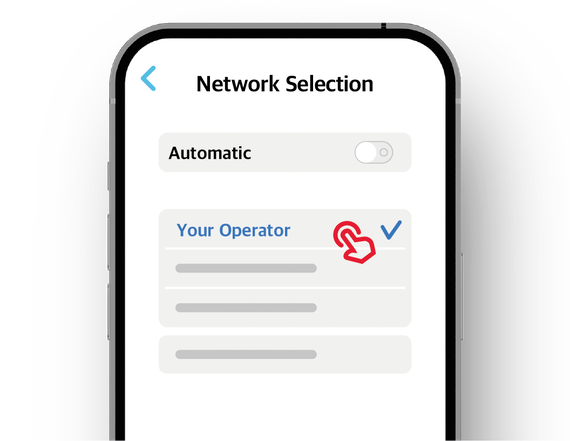
8. Select Operator
From the list of GSM operators that appear, select your own operator
If a checkmark appears on the right, you can exit the menu
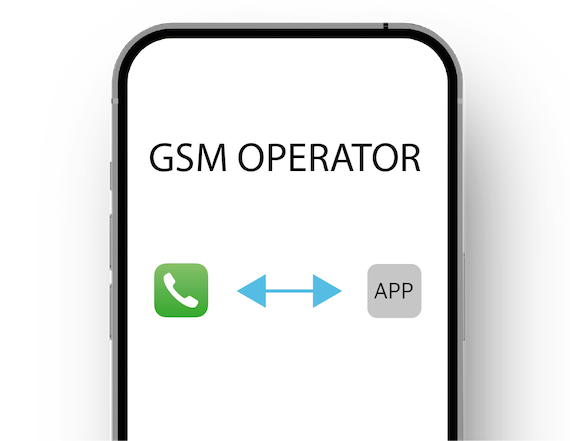
9. Disable Line for Roaming
Disable roaming for your local GSM line via your operator's app or call center
Changes made through phone settings may not be detected by your GSM operator
Important Notes
- Settings should be configured in your home country with your local GSM operator; changes cannot be made while abroad
- Both your device and your local GSM operator must support Wi-Fi Calling for it to work
- This is not a service guaranteed by Globalalo
- Images are based on Android 14 version
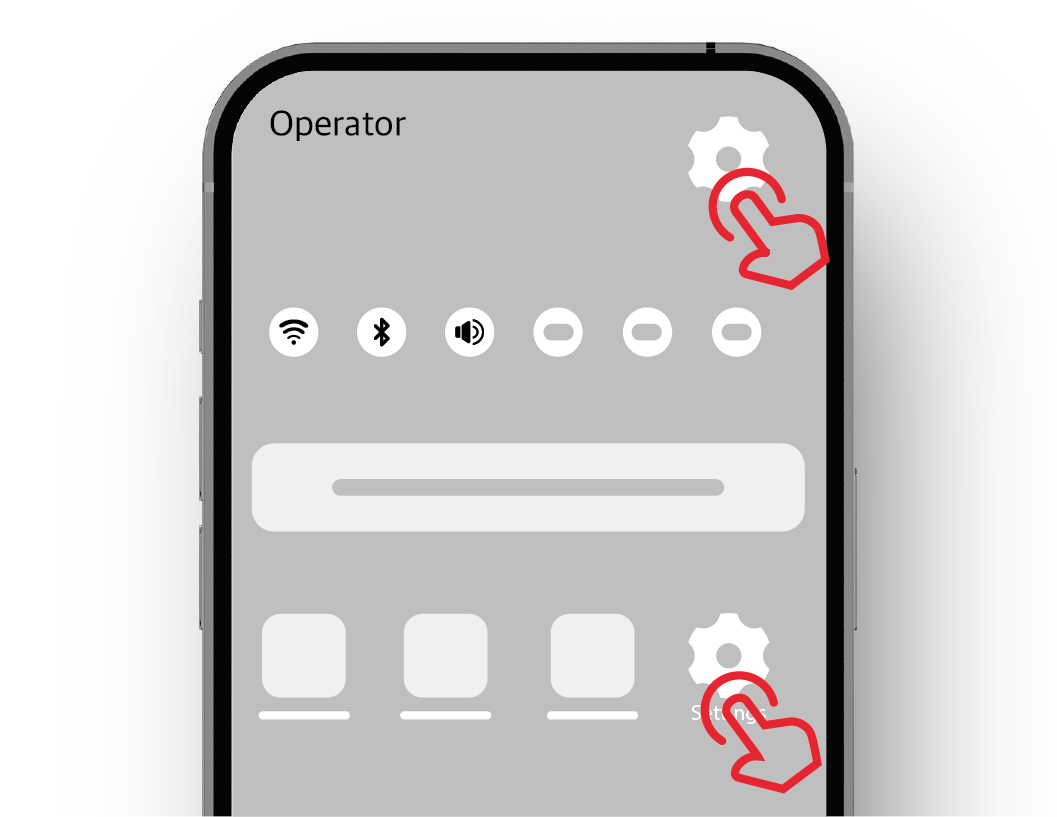
1. Settings
Go to the Settings menu with the icon shown in the image
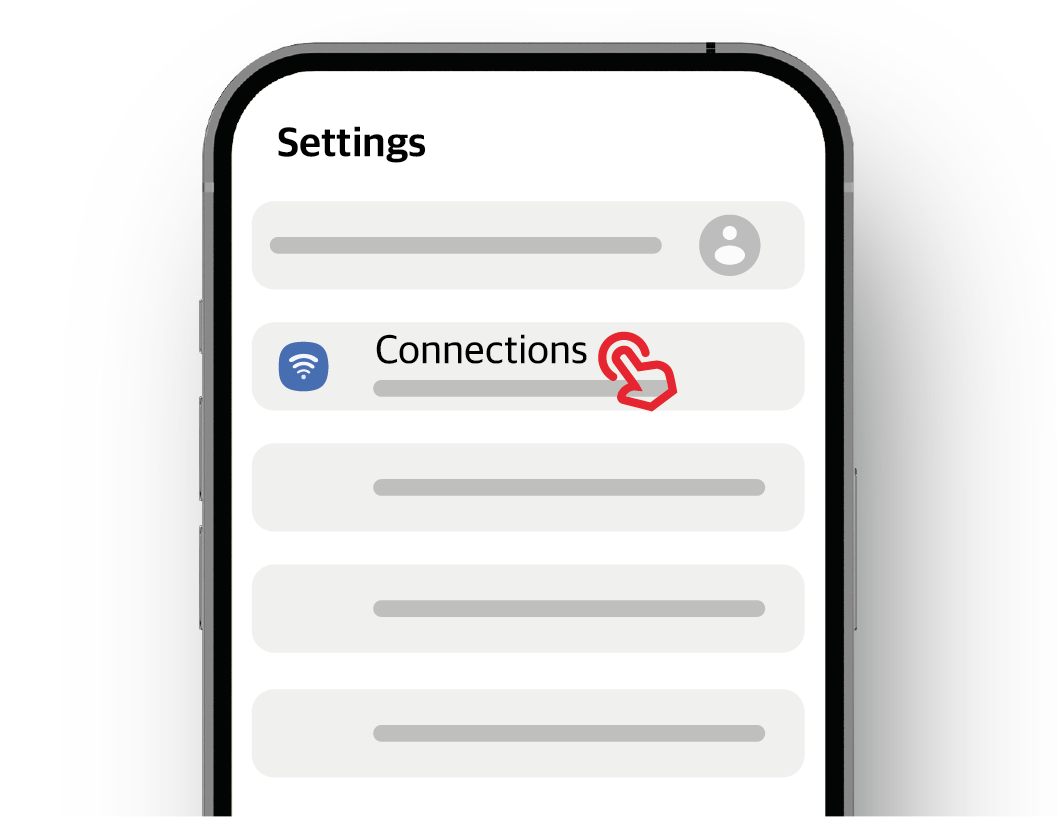
2. Connections
Go to the Connections menu
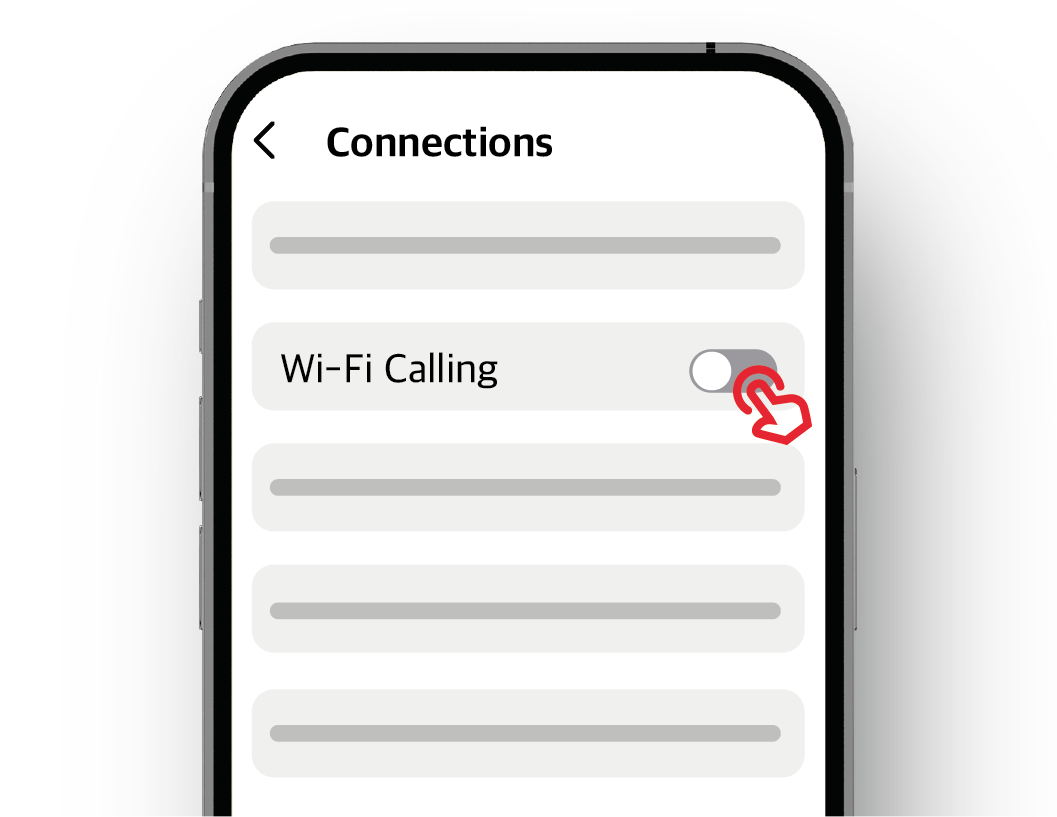
3. Turn on Wi-Fi Calling
If the toggle switch next to “Wi-Fi Calling” is off (to the left), slide it to the right to turn it on
The toggle will turn blue when enabled
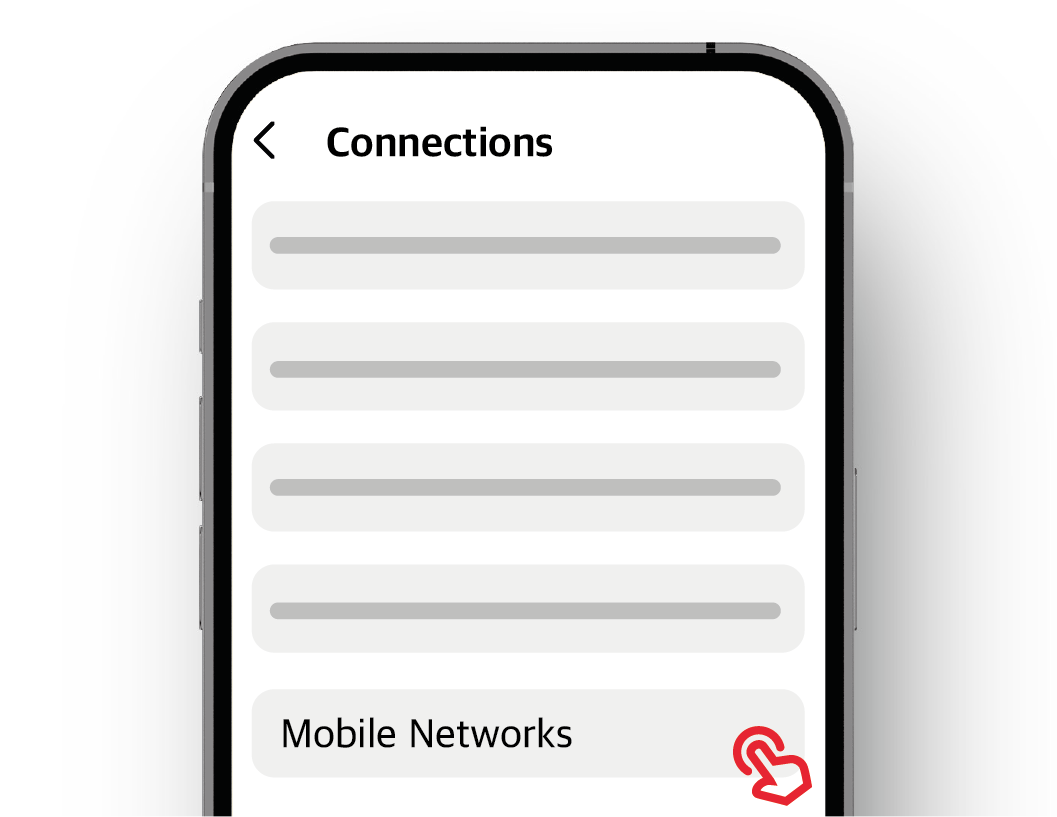
4. Go to Mobile Networks
Scroll down and go to the “Mobile Networks” menu
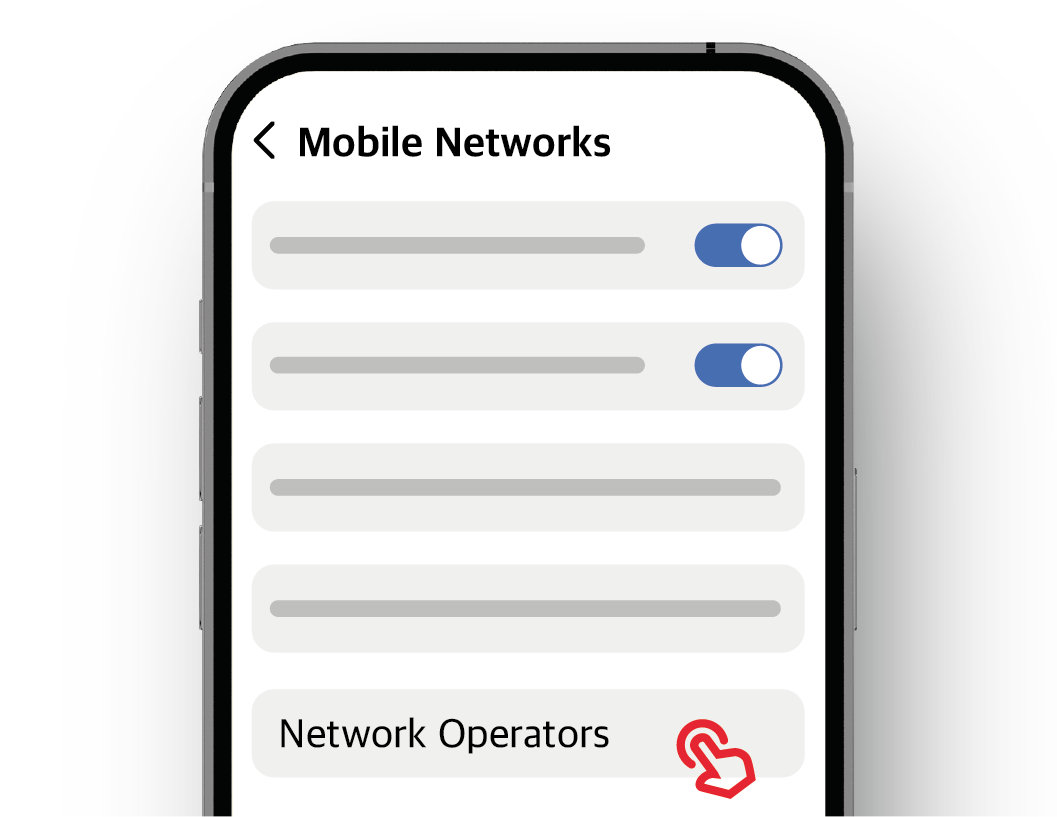
5. Go to Network Operators
Go to the “Network Operators” menu, usually located at the bottom
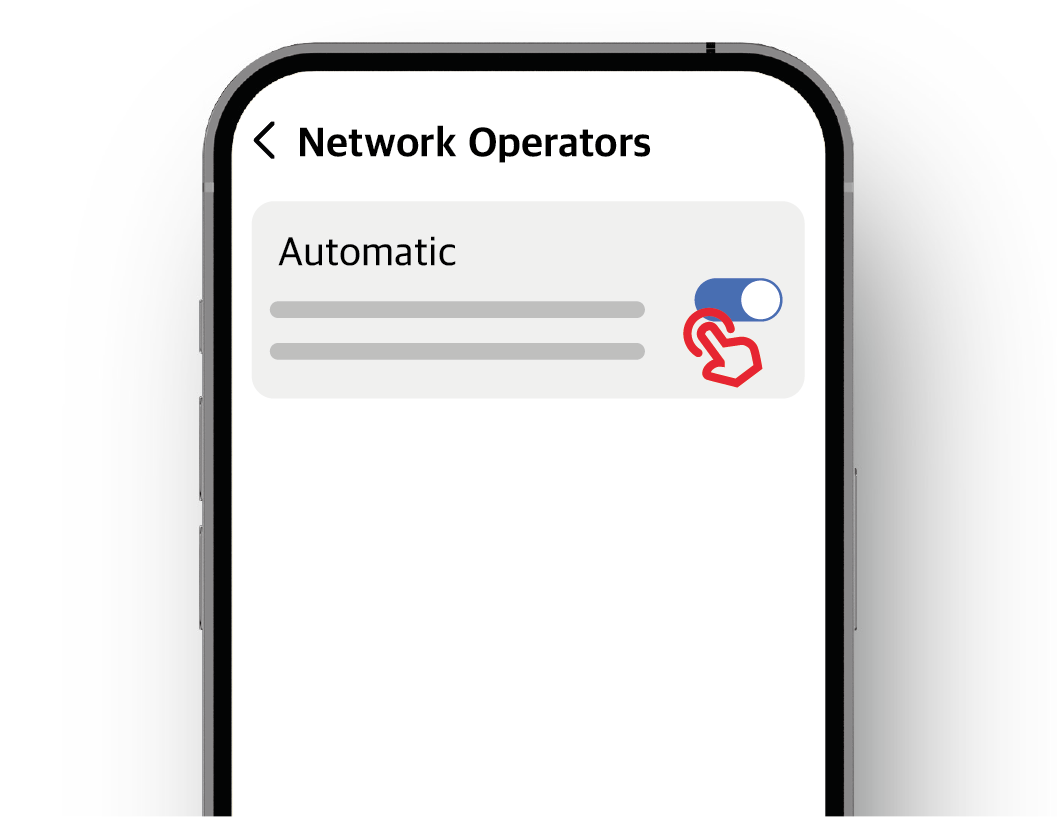
6. Disable Automatic Selection
If the toggle switch next to “Select automatically” is on (to the right), slide it to the left to turn it off
After disabling, it may take some time for operator names to appear below
Do not leave the screen while waiting
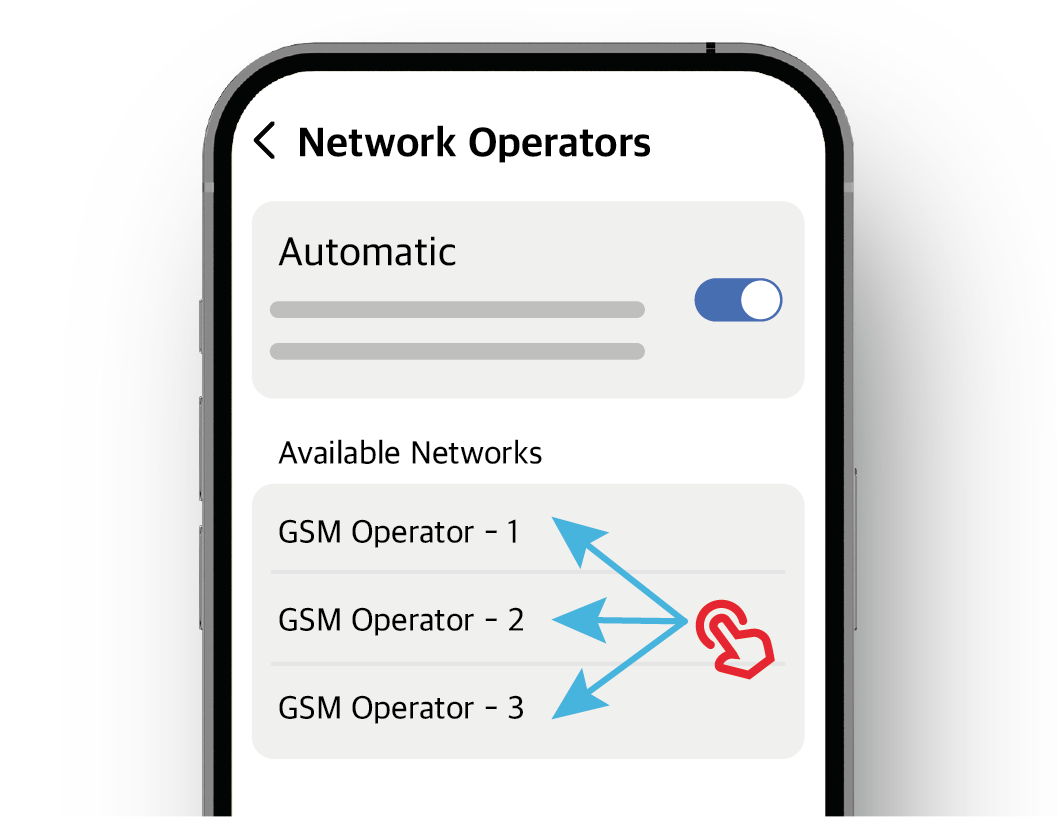
7. Select Operator
From the list of GSM operators that appear, select your own operator
Wait for a while without leaving the screen
Once the process is complete, exit the menu
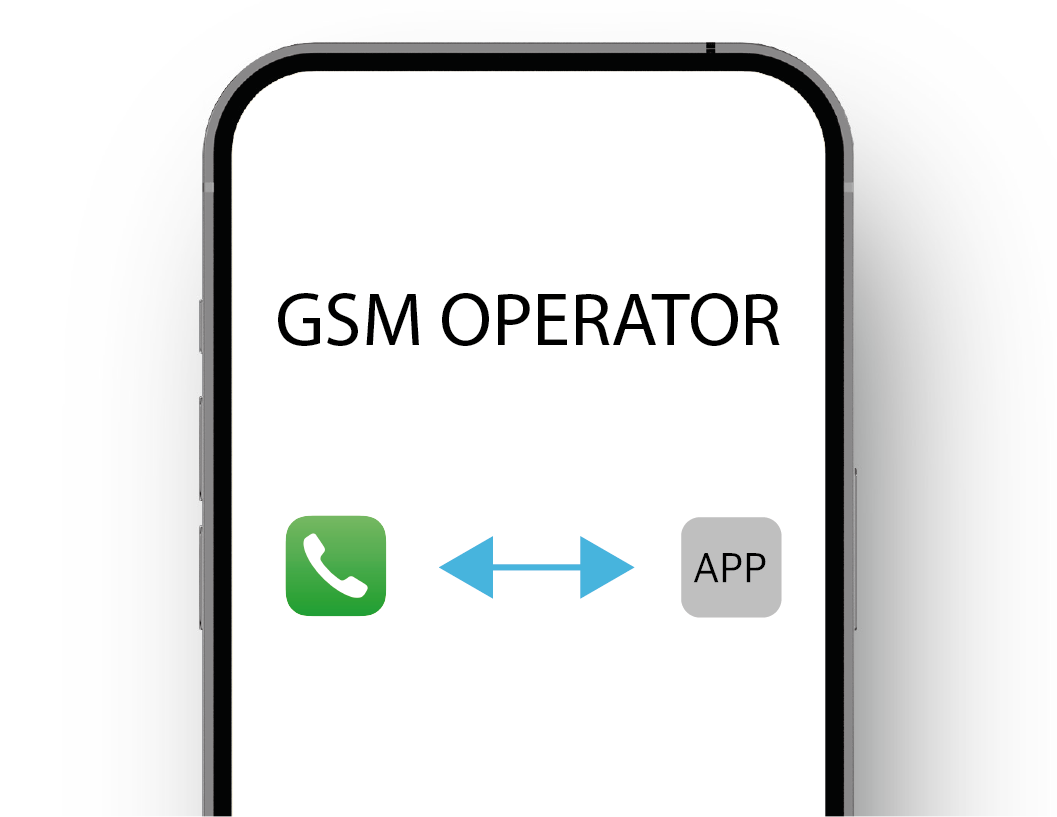
8. Disable Line for Roaming
Disable roaming for your local GSM line via your operator's app or call center
Changes made through phone settings may not be detected by your GSM operator